10 repetitive tasks you can automate with AI (with examples)
- Date: 2 August 2026
- 6 minutes read
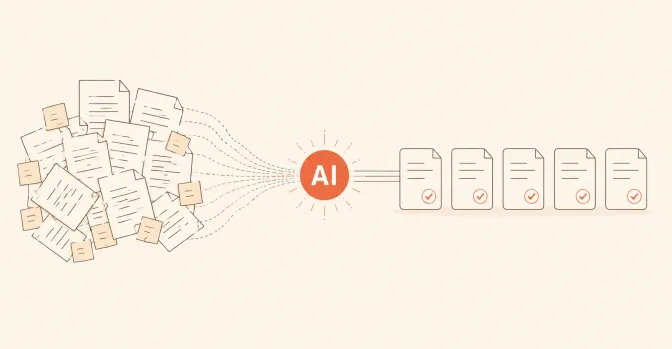
The best candidates for AI automation are tasks that repeat daily, follow roughly the same steps and do not require a complicated decision: answering the same questions, copying information between systems, drafting standard messages, processing documents. Below are 10 such tasks with concrete examples — and, for each, the signal that tells you it is worth automating in your business.
How it looks today: the same questions about opening hours, prices, delivery and availability — on the website, WhatsApp, Instagram — answered manually by someone on your team, dozens of times a week.
What AI does: a chatbot replies immediately, from content you approve, in the language the customer writes in — Romanian or Russian. Unusual cases reach a person. We cover this in detail in our guide to AI chatbots for business.
The signal it is worth it: your team answers the same 10–15 questions on a loop.
How it looks today: requests arrive mixed together — form, email, messages — and someone reads them, decides who owns them and forwards them.
What AI does: reads the enquiry, extracts the essentials (who, what they want, how urgent) and routes it to the right person, with a summary.
The signal: enquiries sit for hours or days before reaching the right person.
How it looks today: copy-paste between email, Excel and the CRM. The same information typed two or three times, with inevitable mistakes.
What AI plus automation does: information entered once reaches every place it is needed on its own — no retyping, no gaps.
The signal: “everything here lives in three spreadsheets that don’t talk to each other.”
How it looks today: after every customer conversation, someone should update the CRM. In practice it does not always happen — and the history becomes incomplete.
What AI does: creates or updates the record from the conversation or email, and a person only reviews it. The CRM stays current without extra discipline.
The signal: the CRM exists, but “nobody fills it in”.
How it looks today: every offer, confirmation or follow-up is written from scratch or adapted from an old document.
What AI does: prepares the draft from the customer’s details and your approved templates; a person reviews and sends. The tone stays the company’s; the time drops from minutes to seconds.
The signal: your team writes messages every day that are 80% identical.
How it looks today: invoices, contracts, statements, scanned forms — someone reads them and types the figures into a system by hand.
What AI does: extracts the relevant data automatically (amounts, dates, names) and places it in your spreadsheet or system, flagging unclear cases for human review.
The signal: someone’s calendar contains an “invoice entry day”.
How it looks today: arranging one appointment takes three messages back and forth; customers forget bookings, and the team calls to confirm manually.
What AI plus automation does: the customer picks a free slot themselves, confirmations and reminders go out automatically, rescheduling happens without phone calls.
The signal: missed or unconfirmed appointments are a monthly problem.
How it looks today: after calls or meetings, decisions stay in the participants’ memory; whoever was absent asks “what was discussed?”.
What AI does: produces a summary of the discussion, with decisions and next steps, ready to send or attach to the customer record in the CRM.
The signal: the same things get re-discussed because nobody wrote down the conclusion.
How it looks today: “I didn’t see the message”, “I didn’t know it was mine” — the information exists but does not reach the person who must act in time.
What automation does: important events (new order, late payment, urgent enquiry) automatically trigger a notification to the responsible person, on the channel they actually read.
The signal: things “fall between the chairs” between departments.
How it looks today: at the end of every week or month, someone gathers figures from several sources into the same spreadsheet, with the same formulas.
What AI plus automation does: the report builds itself from the sources, and AI adds a plain-language summary: what grew, what fell, what stands out.
The signal: the monthly report consumes a full day of someone’s work.
Not all of them. Choose one — usually the one that occurs most times per day or consumes the most hours per week — validate the solution there, and expand only when the next step makes business sense. Costs depend on the process and the connected systems; we explain the factors in How much does an AI solution cost for your .
Three quick questions: Does it repeat often? Does it follow predictable steps? Can a person easily check the result? Three yeses — a very good candidate. One common objection (“every case is different here”) still deserves a conversation: often 70% of the cases are in fact standard.
Not necessarily — and most of the time it should not. Good configurations define where AI only prepares the work (a draft, extracted data) and where human review is required before anything happens.
Usually not. The right approach is to connect AI to your existing website, CRM and tools — replacing them is only recommended when there is genuinely no other way.
How soon do I see a result?
For one well-chosen task, the first results usually appear within a few weeks of launch: time saved, fewer errors, faster replies. The right measure is agreed before implementation, so you can compare.
Describe the task that repeats most often in your business. We review the process and recommend a practical first step — no technical brief required.
Discuss your project AI WORLD HUB Team
 Practical AI solutions for businesses in Moldova
We set out to bring artificial intelligence closer to every business, in a way everyone can understand.
An AI chatbot is an assistant that answers customers in writing — on your website, WhatsApp, Instagram or Telegram — using content approved by your company. It handles common questions, collects enquiry details and...
The cost of an AI solution depends on three things: which process you want to improve, which systems the solution has to connect with, and how much it needs to be adapted to the way you work. A simple chatbot that a...